
We’ve reached the final article of this track, and it’s time for a shift in perspective. Everything so far has been about you prompting a model: crafting a request, getting a good answer. But some of the most valuable prompting happens somewhere else entirely: inside a real application, running automatically, thousands of times a day, for real users who never see the prompt at all.
When a prompt goes from your personal chat window into a production system, the game changes. It’s no longer enough for a prompt to work once when you’re watching. It has to work reliably, affordably, and maintainably, over and over, without you there to nudge it. This article is about that shift, and it’s a fitting place to wrap up the track.
What “production” changes
The core difference is this: in your chat window, you are part of the system. If an answer is off, you notice, rephrase, and try again. In production, there’s no you in the loop. The prompt has to stand on its own, handle whatever input arrives, and produce something dependable every time. That single change ripples out into a handful of new concerns. Figure 1 gathers them.
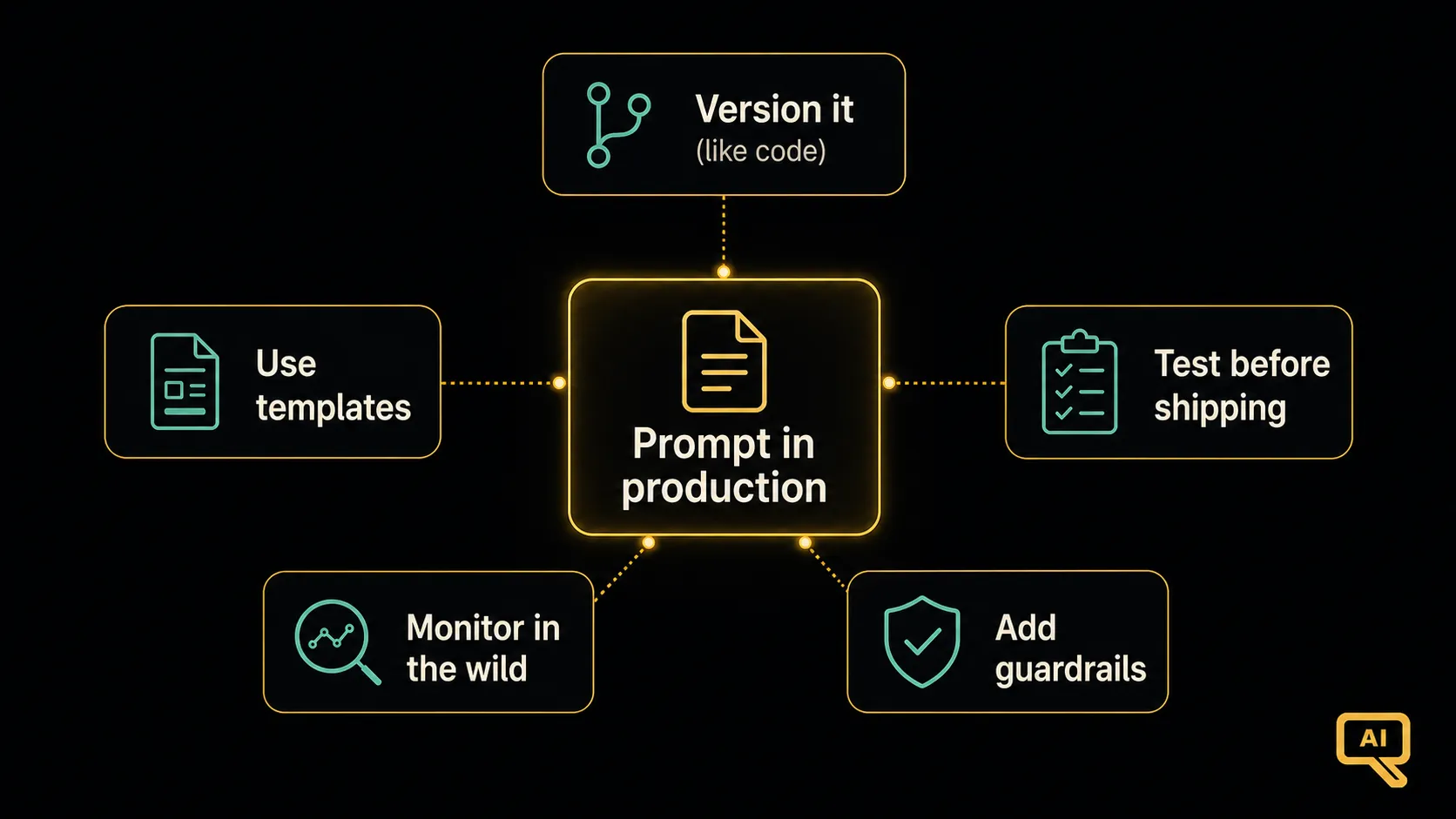 Figure 1: Moving to production adds five concerns beyond “does the prompt work”: versioning prompts, using templates, testing before shipping, monitoring in the wild, and adding guardrails.
Let me walk through each.
Prompts are versioned artifacts
In casual use, you change a prompt and forget the old version. In production, a prompt change is a deployment. It changes how your application behaves for everyone. So prompts need to be tracked and versioned, just like code. You want to know which version of a prompt is live, what changed between versions, and how to roll back if an “improvement” turns out to make things worse.
This mindset, treat your prompts like code, is the foundation of everything else here. A prompt buried in someone’s head or pasted ad hoc is a liability; a prompt that’s written down, versioned, and reviewed is an asset.
Templates with variables
In production, you’re not typing a fresh prompt each time. You’re filling the same prompt with different data on every request. So production prompts are usually templates: a fixed structure with blanks (variables) that get filled in per request. Figure 2 shows the idea.
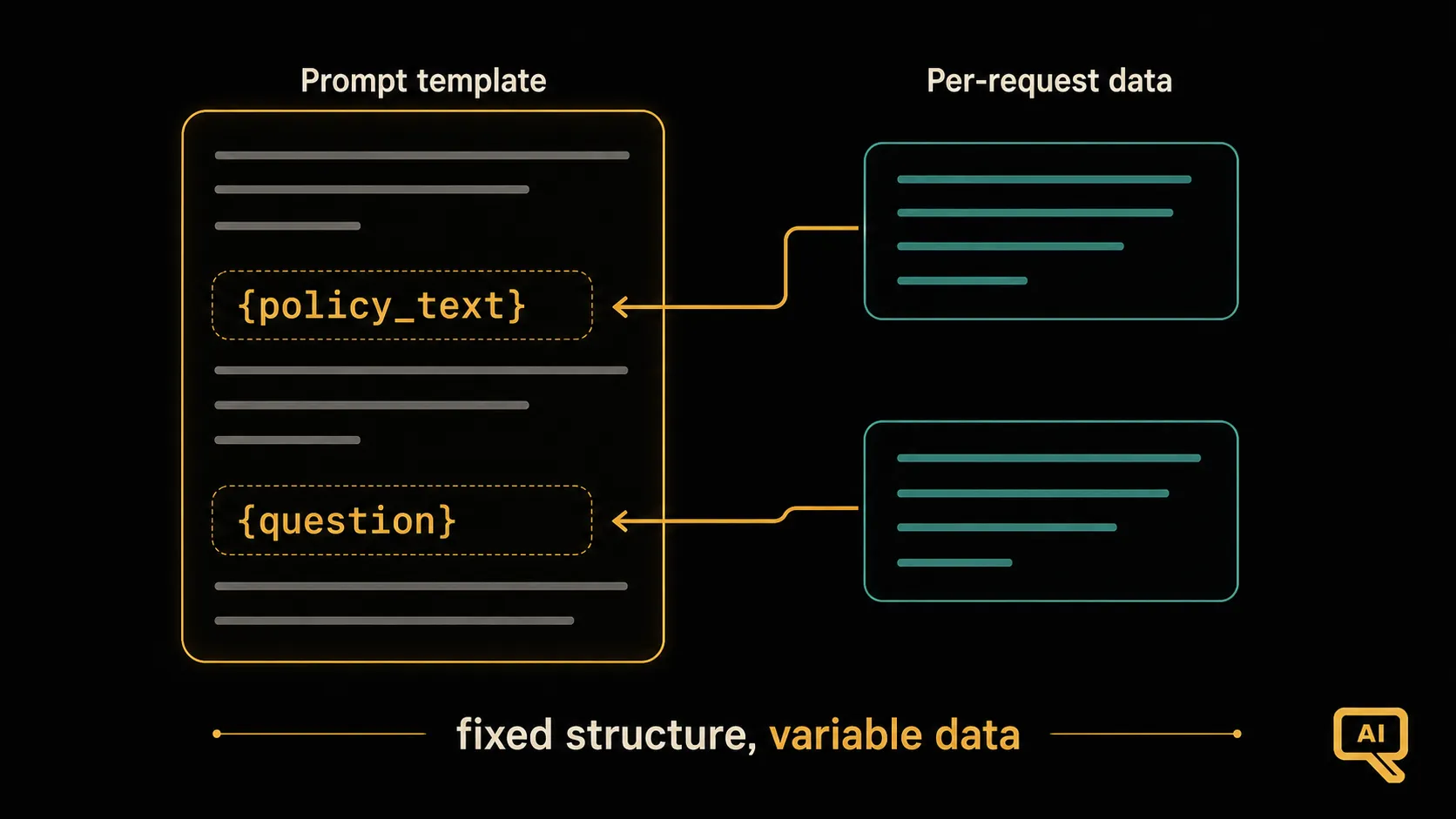 Figure 2: A production prompt is a template: a fixed, carefully crafted structure with variable slots. The application fills the slots (the user’s question, the retrieved data) fresh for each request, while the surrounding prompt stays constant and reliable.
In code, this is often as simple as a string with placeholders:
PROMPT_TEMPLATE = """You are a helpful support assistant.
Answer the customer's question using only the policy text provided.
If the answer isn't in the policy, say you'll escalate to a human.

Policy:
\"\"\"{policy_text}\"\"\"

Customer question: {question}
"""

# Filled fresh for each request:
prompt = PROMPT_TEMPLATE.format(policy_text=policy, question=user_question)
The carefully crafted structure, with its role, grounding instruction, delimiters, and constraint about escalating, stays constant and reliable. Only the data changes. All the techniques from this track live inside that stable template.
Test before you ship
Remember the evaluation habit from the last article? In production, it becomes more formal. Before a prompt change goes live, it should be run against a test set to make sure it didn’t break anything. The same catch-regressions logic applies, but now it’s automated and run on every change, because the cost of shipping a broken prompt to real users is high. “It looked fine when I tried it once” is not good enough when thousands of people depend on it.
Monitor in the wild
Testing tells you how a prompt does on your examples. Production throws inputs at it you never imagined. So you also need to monitor the real thing: Is output quality holding up? Are costs (which, remember, are measured per token) staying reasonable? Are there inputs that make it fail? There’s also a subtle production reality: the underlying model can be updated by its provider, and a prompt that worked well might behave differently afterward. Monitoring is how you catch these shifts before your users do.
Add guardrails
Finally, production prompts need protection against the messy real world. That means validating the output before using it (the ask-validate-retry loop from the structured-output article), defending against prompt injection when handling untrusted input (from the delimiting article), and handling failures gracefully: deciding what your system does when the model returns something unexpected, rather than just breaking. Guardrails are what keep a system that works in the demo from falling over on its first strange input.
Where prompting meets a bigger world
You may have noticed that these production concerns, versioning, testing, monitoring, guardrails, cost, go beyond “writing a good prompt.” That’s because at this point, prompt engineering starts to blend into the practice of running language-model applications reliably at scale. That discipline has its own depth, and it’s explored fully in the LLMOps material within the Fine-Tuning track. Think of this article as the moment prompting stops being a solo craft and becomes part of building dependable systems.
The end of the track, and where to go next
Look back at the track. You started with prompting as clear communication, and you’ve built up a practical toolkit: structuring prompts, showing examples, coaxing reasoning, getting clean output, handling outside text safely, designing personas, keeping the model honest, chaining steps for big jobs, testing your work, and now, engineering prompts for the real world. That’s not a bag of tricks. It’s a skill you can keep sharpening.
Where to go from here? Prompt engineering is the foundation, and the other tracks build on it. If you want to ground models in your own documents and data so they answer from real sources, the RAG track is your next stop. If you want to give models the ability to use tools and take actions, the Agentic AI track is the natural follow-up. And if you want to go deeper on running these systems reliably, the Fine-Tuning & LLMOps track carries the production thread forward.
Thank you for working through the whole track. You now know how to talk to these models clearly and deliberately. Go put it to use.
This wraps up the Prompt Engineering track. Ready to ground models in your own data? Continue with the RAG track next.