
Some things are easier to show than to describe. If I asked you to explain, in words alone, exactly how to tie a shoelace, you’d struggle. But if I showed you once, you’d get it instantly. The same is true when you’re briefing a language model. Sometimes the fastest way to get what you want isn’t a longer description of the task; it’s a couple of examples of the task done right.
That simple shift, from telling to showing, is one of the most useful moves in prompting, and it has some proper names: zero-shot, few-shot, and the ability underneath them called in-context learning. Let me unpack all three; they’re simpler than they sound.
Zero-shot: just ask
Zero-shot is the plain approach you’ve been using all along: you describe what you want and let the model do it, without giving any examples. The “zero” means zero examples provided.
“Translate this sentence into French: I love learning new things.”
No examples needed. The model already knows how to translate, so you just ask. Zero-shot works well for common, well-understood tasks: translation, summarising, answering general questions, rewriting. For many everyday requests, zero-shot is all you need, and reaching for anything more complex would be wasted effort.
But zero-shot has a limit. When a task is unusual, when it needs a very specific format or style, or when it’s hard to put into words, a description alone can leave the model guessing. That’s when showing beats telling.
Few-shot: show a few examples
Few-shot means including a handful of examples of the task, a few input-and-output pairs, right there in your prompt, before your actual request. The model sees the pattern in your examples and follows it. Figure 1 shows the difference.
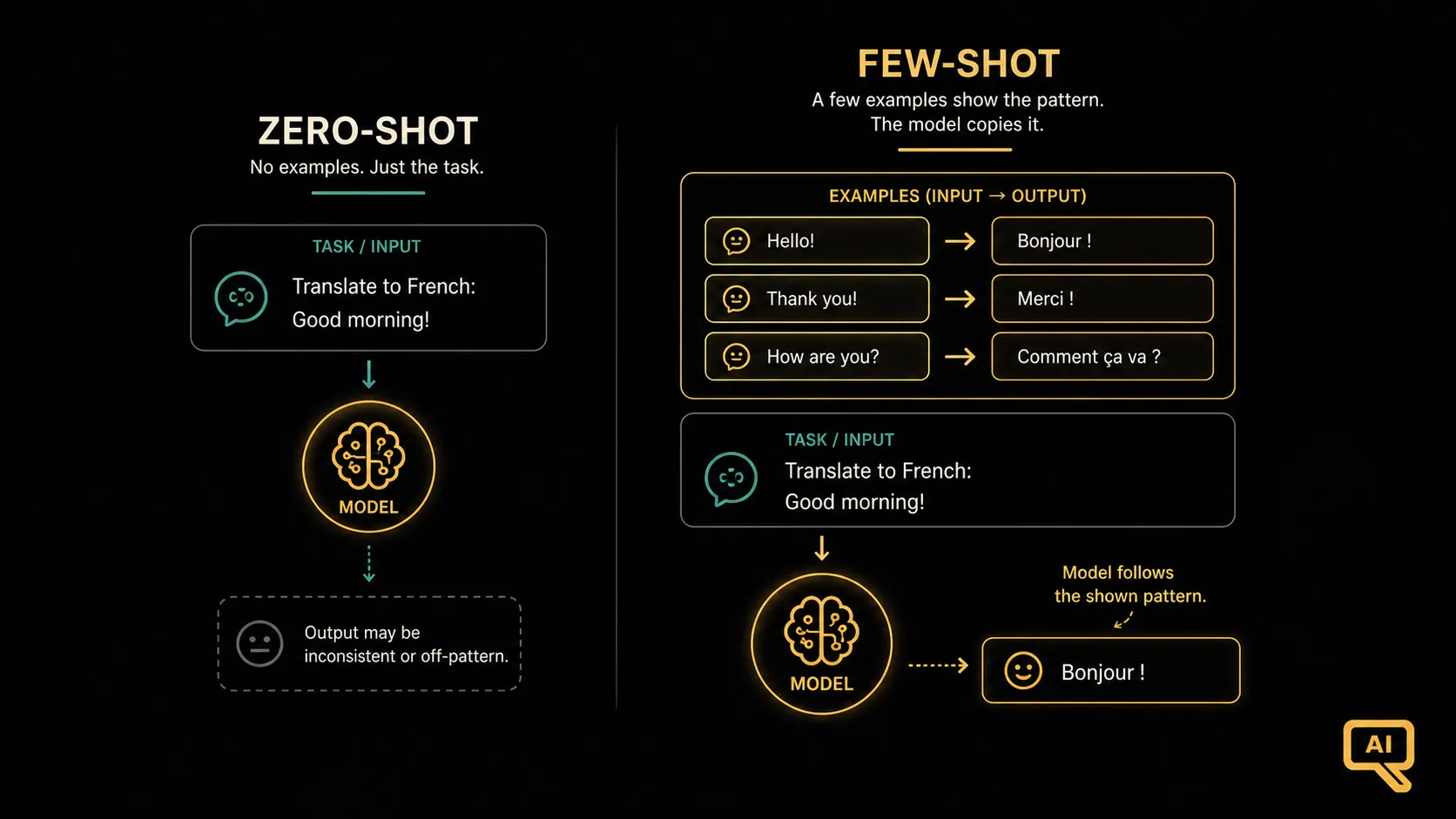 Figure 1: Zero-shot gives the model only a description and asks it to perform. Few-shot first shows the model a few worked examples, so it can copy the pattern. This is more reliable when the task is specific or hard to describe.
Few-shot shines for things like classification, consistent formatting, and matching a particular style. Suppose I want to sort customer messages into categories. Describing the exact boundaries in words is fiddly, but showing a few examples makes the pattern obvious:
Classify each message as: Billing, Bug, or Feature Request.

Message: "I was charged twice this month."      -> Billing
Message: "The export button does nothing."      -> Bug
Message: "Can you add a dark mode?"             -> Feature Request
Message: "My invoice total looks wrong."        ->
Given those three examples, the model reliably completes the last line with “Billing.” Figure 2 shows this pattern-copying in action.
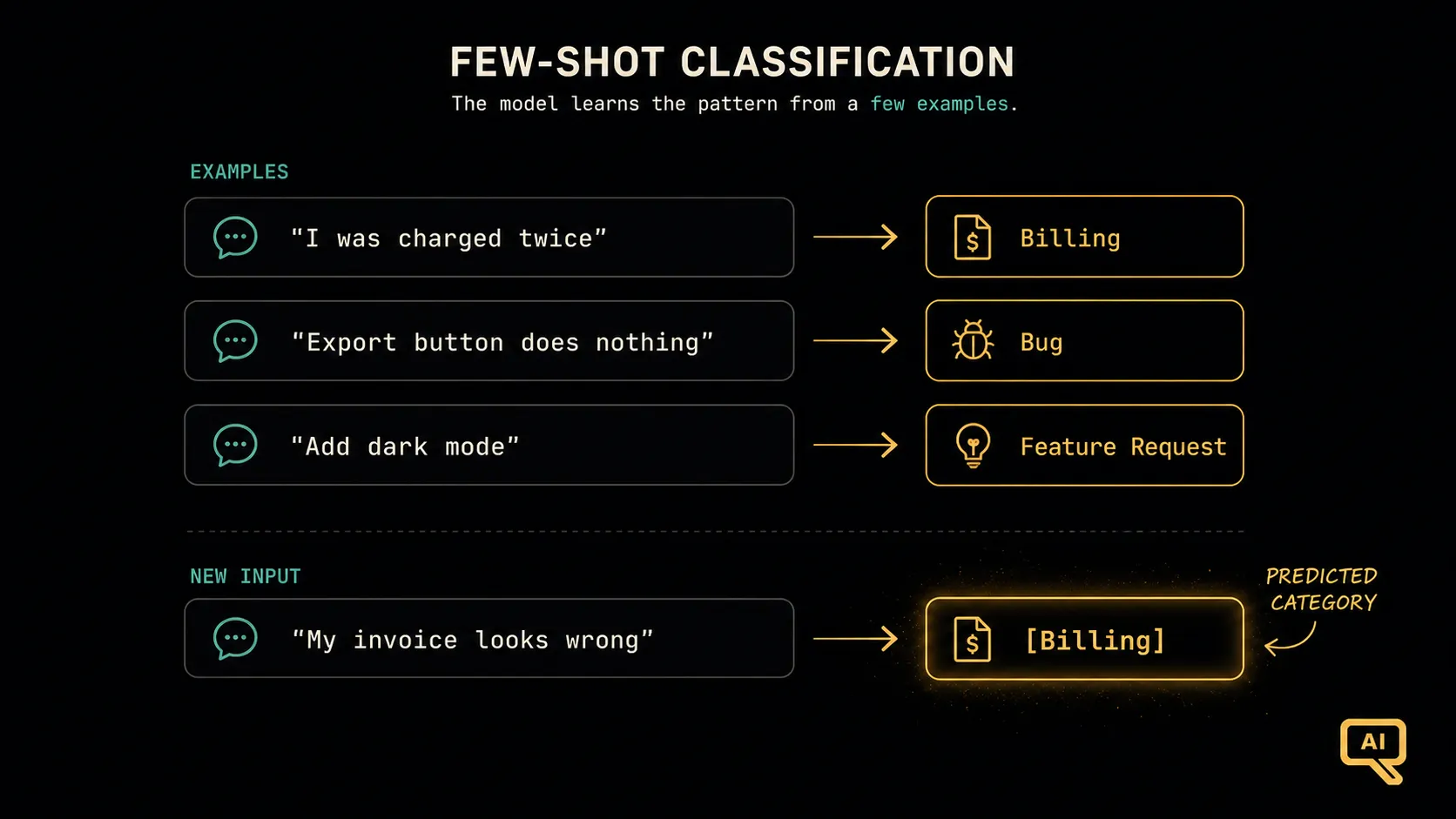 Figure 2: Three example messages, each paired with its category, teach the model the pattern. When a new message arrives, the model classifies it by following the examples, with no lengthy rules required.
A few practical tips that make few-shot work well:
- Two to five examples is usually plenty. You rarely need more, and a handful of clear ones beats a dozen sloppy ones.
- Make your examples cover the variety you expect, including a tricky case or two, so the model sees how to handle them.
- Keep the format of your examples identical to how you want the answer, because the model will copy the format as faithfully as the content.
In-context learning: the surprising part
Here’s the useful thing hiding under few-shot, and it’s worth pausing on. When the model picks up a pattern from the examples in your prompt, it is not being retrained or permanently changed. It learns the pattern on the spot, just for this one request, purely from what’s sitting in its context window. This is called in-context learning.
Think about what that means. Back in the AI Primer, “learning” meant a slow training process that adjusted the model’s weights over huge amounts of data. But in-context learning is different: it’s temporary and instant. You hand the model a few examples, it adapts its behaviour to match them for that response, and then it’s done. The next conversation starts fresh, with no memory of your examples. It’s less like teaching the model a new skill and more like giving a performer a quick brief right before they go on: “here’s the style we’re going for tonight.”
This is why few-shot is so powerful and so convenient. You get to customise the model’s behaviour for your exact task, on the fly, without any of the cost or complexity of actually training it. The examples in your prompt do the steering.
Which should you reach for?
The choice between zero-shot and few-shot comes down to a simple judgement:
- Start with zero-shot. For common tasks the model clearly already knows, just ask. It’s simpler and shorter, and it usually works.
- Move to few-shot when zero-shot disappoints: when the task is unusual, when you need a very specific format or style, or when you find the model almost gets it but keeps missing your intent. A couple of well-chosen examples often fix it.
There’s a natural progression here that echoes a theme you’ll see throughout this series: use the simplest approach that gets the job done, and add more only when you need it. Don’t pile in five examples for a task a plain question would have handled. But when telling isn’t working, remember that showing often will.
From showing to reasoning
Few-shot is about teaching the model what you want by example. But some tasks aren’t really about pattern-matching at all. They’re about thinking: working through a problem in steps, doing a bit of reasoning, arriving at an answer that can’t just be copied from an example. For those, there’s a different technique, one that asks the model not to blurt out an answer but to think it through first. That’s next.
Next in the series: Chain-of-Thought: Making Models Reason: how to get better answers by asking the model to think step by step.