
If you search online for prompt engineering tips, you’ll drown. There are listicles with a hundred “secret” prompts, endless threads of tricks, and enough conflicting advice to make your head spin. I want to do the opposite here. After all the noise, the useful point is simple: a handful of patterns do most of the real work. Learn these seven, and you’ll handle most everyday prompting tasks with confidence.
Think of this article as the hub of the track, a single page you can come back to. Some of these patterns we’ve already met in detail; others we’ll explore in the articles ahead. Here they are, gathered in one place. Figure 1 lays them out.
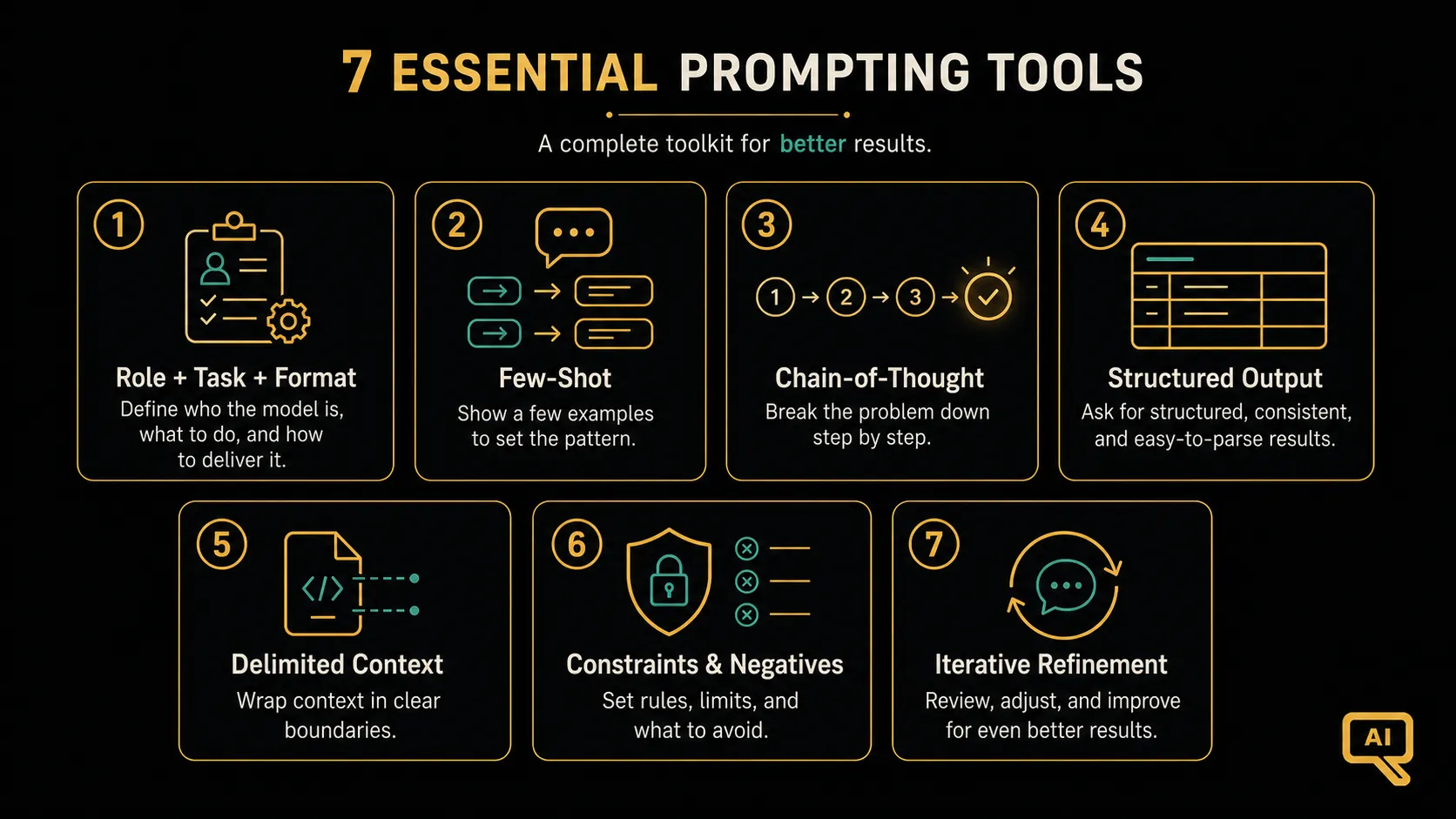 Figure 1: The seven patterns that handle most real prompting. Most good prompts are one of these, or a few of them stacked together.
The seven patterns
1. Role + Task + Format: the everyday workhorse. Give the model a role, a clear task, and a desired output format. This is the backbone from the anatomy article, and it’s the one you’ll use most. “You are a friendly editor. Tighten this paragraph. Keep it under 80 words.” If you internalise only one pattern, make it this one.
2. Few-Shot: show, don’t just tell. When a task is easier to demonstrate than to describe, include two to five examples of input and desired output. The model copies the pattern. This is useful for classification, consistent formatting, and matching a style. (Covered in the zero-shot/few-shot article.)
3. Chain-of-Thought: let it reason. For anything involving logic, maths, or multiple steps, ask the model to “think step by step” before answering. Writing out the reasoning makes the answer more reliable. (Covered in the chain-of-thought article.)
4. Structured Output: make it machine-readable. When a program will consume the result, demand a strict format, usually JSON, and specify the exact shape. “Return only valid JSON with fields name, date, and amount.” (We’ll dig into this shortly.)
5. Delimited Context: separate the instructions from the data. When you paste in a document or text for the model to work on, wrap it in clear markers so the model doesn’t confuse the thing to process with the instruction. This is a clarity win and, as we’ll see, a safety one too. (Coming up in this track.)
6. Constraints & Negatives: fence the output. Tell the model not just what to do, but what to avoid and what boundaries to respect: length limits, things to exclude, and, especially useful, what to do when it’s unsure (“if the answer isn’t in the text, say so”). That last one prevents a lot of made-up answers.
7. Iterative Refinement: treat it as a conversation. Your first prompt is a draft. Get a rough result, then steer: “shorter,” “more formal,” “that part’s wrong, here’s the correction, redo just that section.” The fastest route to a strong result is usually a few quick nudges, not one perfect prompt.
They stack
Here’s the key thing that makes these seven useful: they’re not rival choices, they’re building blocks that combine. A single real-world prompt often uses several at once. Figure 2 shows the skeleton they slot into.
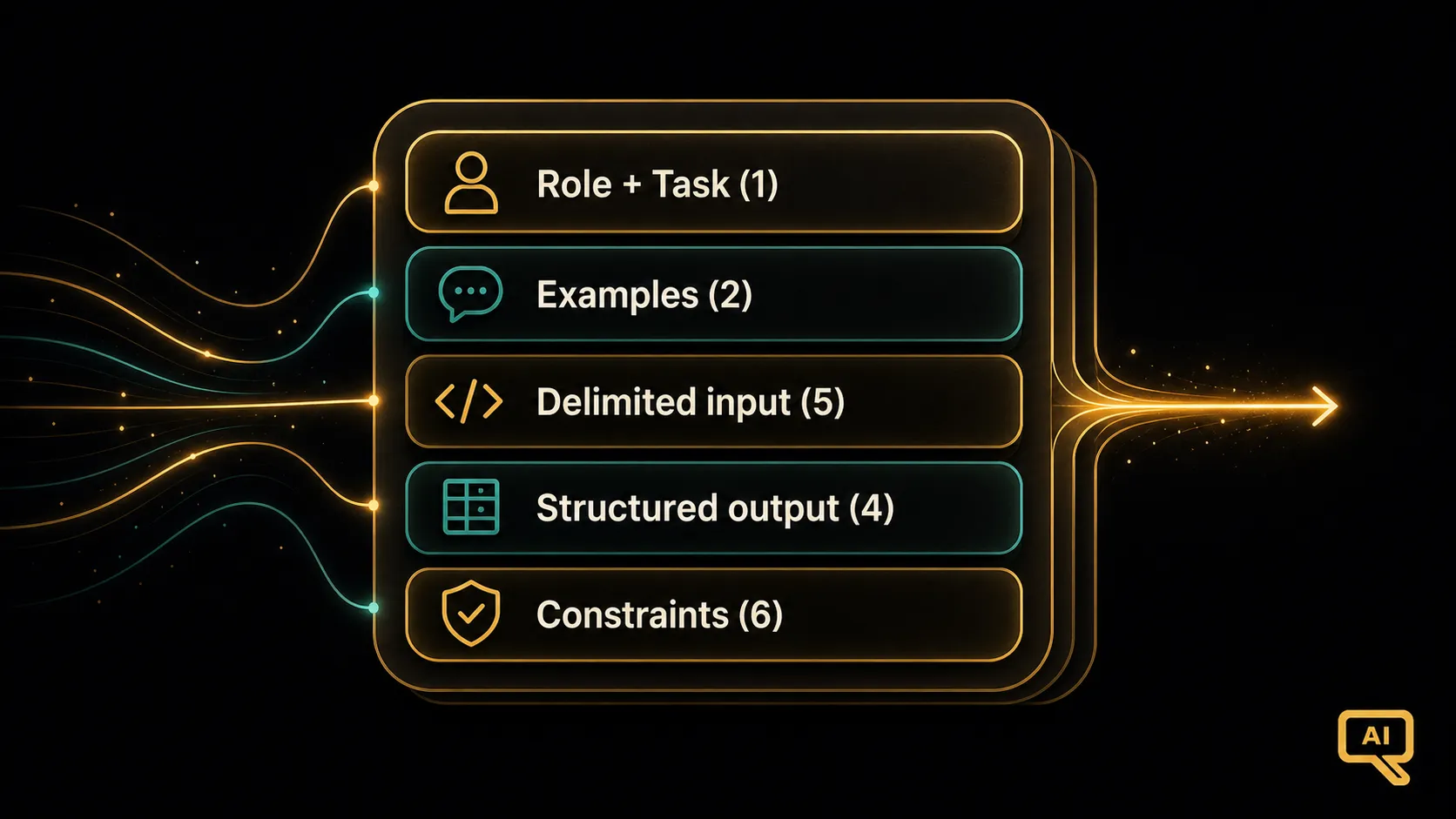 Figure 2: The patterns aren’t mutually exclusive. They layer. A serious prompt often sets a role and task (1), shows a couple of examples (2), wraps the input in delimiters (5), asks for structured output (4), and adds constraints (6), all at once.
For instance, a prompt that extracts information from customer reviews might combine four patterns without any fuss:
You are a data extraction assistant. (Pattern 1: role + task)
From the review between the triple quotes, extract the sentiment
and any product features mentioned. (Pattern 5: delimited context)

Return ONLY valid JSON: {"sentiment": "...", "features": [...]}. (Pattern 4)
If a field can't be determined, use null. (Pattern 6: constraint)

Review:
"""
The battery lasts forever but the app keeps crashing.
"""
That’s four patterns working together, and it reads naturally. Stacking is normal. You’re just combining several ways of being clear.
What’s not on the list (and why)
It’s worth saying what didn’t make the cut, because it saves you wasted effort. The tricks that don’t reliably help: threatening the model, offering it imaginary tips or rewards, piling on flattery, or hunting for secret “magic words.” These make the rounds online, but they don’t do much. What consistently works is what’s in these seven patterns: clarity, examples, structure, reasoning, boundaries, and iteration. The common thread is communicating better, which has been the theme of this track.
Your prompting checklist
Keep this quick mental checklist handy. Before you send an important prompt, glance down it:
- Did I give a clear role and task? (Pattern 1)
- Would a couple of examples help? (Pattern 2)
- Does this need step-by-step reasoning? (Pattern 3)
- Will a program read this, and do I need strict JSON? (Pattern 4)
- Am I pasting in data, and is it clearly delimited? (Pattern 5)
- Have I set limits, and said what to do when unsure? (Pattern 6)
- Is this a first draft I should refine? (Pattern 7)
You won’t tick every box every time. A quick question needs none of this. But for anything that matters, running down the list takes seconds and catches the gap that would have cost you a mediocre answer.
The rest of the track
These seven patterns are the practical core of prompt engineering. The remaining articles in this track zoom in on the ones that reward a deeper look: extending reasoning further, getting reliable structured output, safely handling pasted-in text, designing system prompts, reducing hallucination, chaining prompts for bigger jobs, and testing your prompts properly. Even if you stopped here, these seven would carry you a long way.
Let’s start by extending the reasoning pattern. Chain-of-thought had the model follow a single train of thought, but for the hardest problems, it helps to explore several at once. That’s next.
Next in the series: Chain-of-Thought vs Tree-of-Thought: from a single line of reasoning to exploring several paths.