
Here’s how most people improve a prompt: they tweak a word, run it once, glance at the output, decide it looks better, and move on. I understand the temptation. It feels quick. But it’s an unreliable way to work, and it hides a trap. That one output you glanced at might have been a fluke. The change that “looks better” on one example might be quietly worse on five others you didn’t check. You’re improving your prompt by vibes, and vibes lie.
This article is about a better way: treating your prompts as something you actually test. It sounds more formal than it is. For most purposes it’s lightweight and quick. But it’s the difference between hoping your prompt works and knowing it does. This is the habit that separates casual prompting from reliable prompting.
The problem with judging by one example
Language models are a little different every time (remember sampling and temperature from the Primer), and any single task has easy cases and hard cases. So judging a prompt from one output is like judging a restaurant from one bite of one dish. You might have hit the best moment, or the worst, and you’d never know.
Worse, prompts have a sneaky failure mode: a change that fixes one case can break another. You add an instruction to handle a tricky input, and without realising it, that same instruction makes the model overcomplicate the simple inputs it used to handle fine. If you only ever check the case you were working on, you’ll never catch these regressions. You’ll just quietly make your prompt worse in ways you can’t see.
The cure for both problems is the same: test your prompt against several cases, not one.
The simple idea: a little test set
The core practice is low-tech. You gather a small collection of test cases, representative inputs, ideally including a couple of tricky ones, and, where you can, a note of what a good answer looks like for each. Then, whenever you change your prompt, you run it against all of them and see how it does. Figure 1 shows the loop this creates.
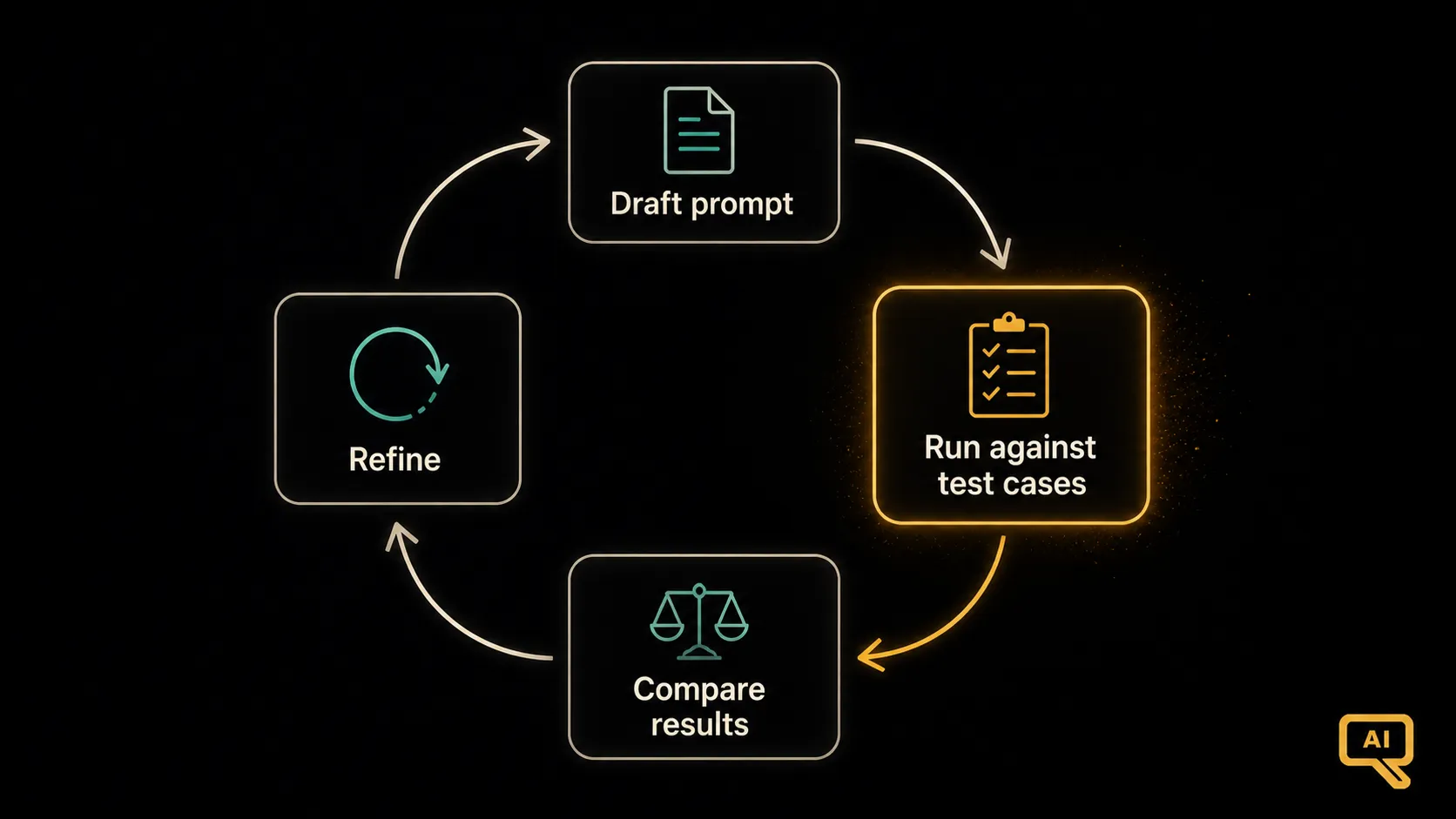 Figure 1: The improvement loop. Draft a prompt, run it against your test cases, compare the results (ideally against a previous version), refine based on what you learn, and repeat. Each turn of the loop is a real, checkable improvement.
Your test set doesn’t need to be big. For most everyday prompts, five to ten cases is plenty, as long as they’re representative. Include:
- A few typical inputs (the normal, common cases).
- A couple of edge cases (unusual, messy, or tricky inputs).
- Any inputs that have tripped the model up before (so you never regress on them again).
That small, well-chosen set catches most problems.
Comparing prompt versions
The real power comes when you use your test set to compare, to answer “is version B actually better than version A?” You run both prompts against the same cases and look at the results side by side. Figure 2 shows this simple comparison.
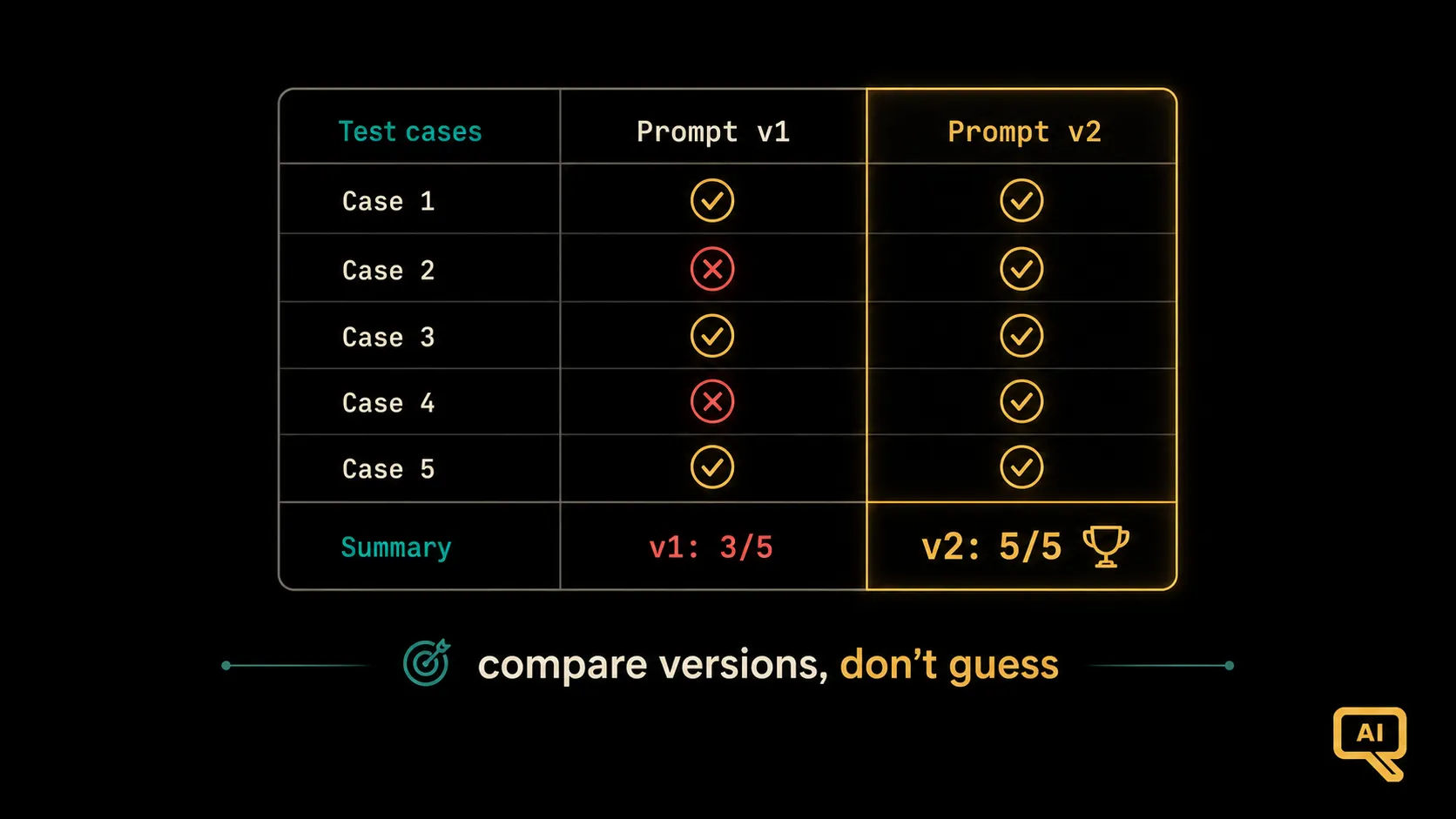 Figure 2: Running two prompt versions against the same test cases turns “I think this is better” into “this version got 5 of 5 right, the old one got 3.” Now your improvement is something you can actually see, not just feel.
Suddenly your decision isn’t a hunch; it’s grounded. Maybe version B nails the tricky case that version A missed, but botches two simple ones you’d have never checked otherwise. Now you know, and you can fix it, instead of shipping an “improvement” that was secretly a step backward.
How to judge the outputs
A fair question: how do you decide if an output is actually “good”? A few practical approaches, from simplest to most sophisticated:
- Judge by eye against clear criteria. For a small test set, just read the outputs and check them against what you wanted: Is it accurate? The right length? The right tone? Did it follow the format? Simple, and often enough.
- Check against expected answers. For tasks with a clear right answer (classification, extraction), you can compare directly: did it get the category right? This can even be done automatically.
- Have a model help grade. For larger sets, you can ask a capable model to score each output against a rubric you write (“rate 1–5 for accuracy and helpfulness”). It’s a way to scale up judging beyond what you’d read by hand, though it’s worth spot-checking that the grader agrees with you.
For most people, judging a handful of outputs by eye against clear criteria is entirely sufficient and takes just a few minutes. Don’t over-engineer this. The point is simply to look at several results deliberately instead of one result casually.
Why this habit pays off
Building even a lightweight evaluation habit changes how you work in three ways:
- Your improvements become real. You stop fooling yourself with lucky one-off outputs and start making changes you can verify actually help.
- You catch regressions. You notice when a “fix” quietly breaks something else before it causes problems.
- You build confidence. When you’ve seen a prompt handle ten varied cases well, you can trust it in a way you never could from a single glance.
There’s a natural scaling to this idea, too. What we’ve described is the lightweight, by-hand version, perfect for personal prompting. When prompts go into real applications used by many people, this same discipline grows into something more formal and automated: proper test suites that run on every change, catching problems before they reach users. That’s the world of “evaluation pipelines,” and it’s a cornerstone of running language models in production, a theme the LLMOps side of things takes up in depth. But it all starts with the habit you can adopt today: test against several cases, not one.
From testing to shipping
We’ve now covered the craft of prompting: why wording works, structure, examples, reasoning, clean output, safety, personas, honesty, chaining, and now testing. In the final article of this track, we’ll look at what changes when prompts leave your personal experiments and go into real production systems used by real people, where reliability, cost, and maintainability matter.
Next in the series: Prompt Engineering in Production: what changes when your prompts power a real application.