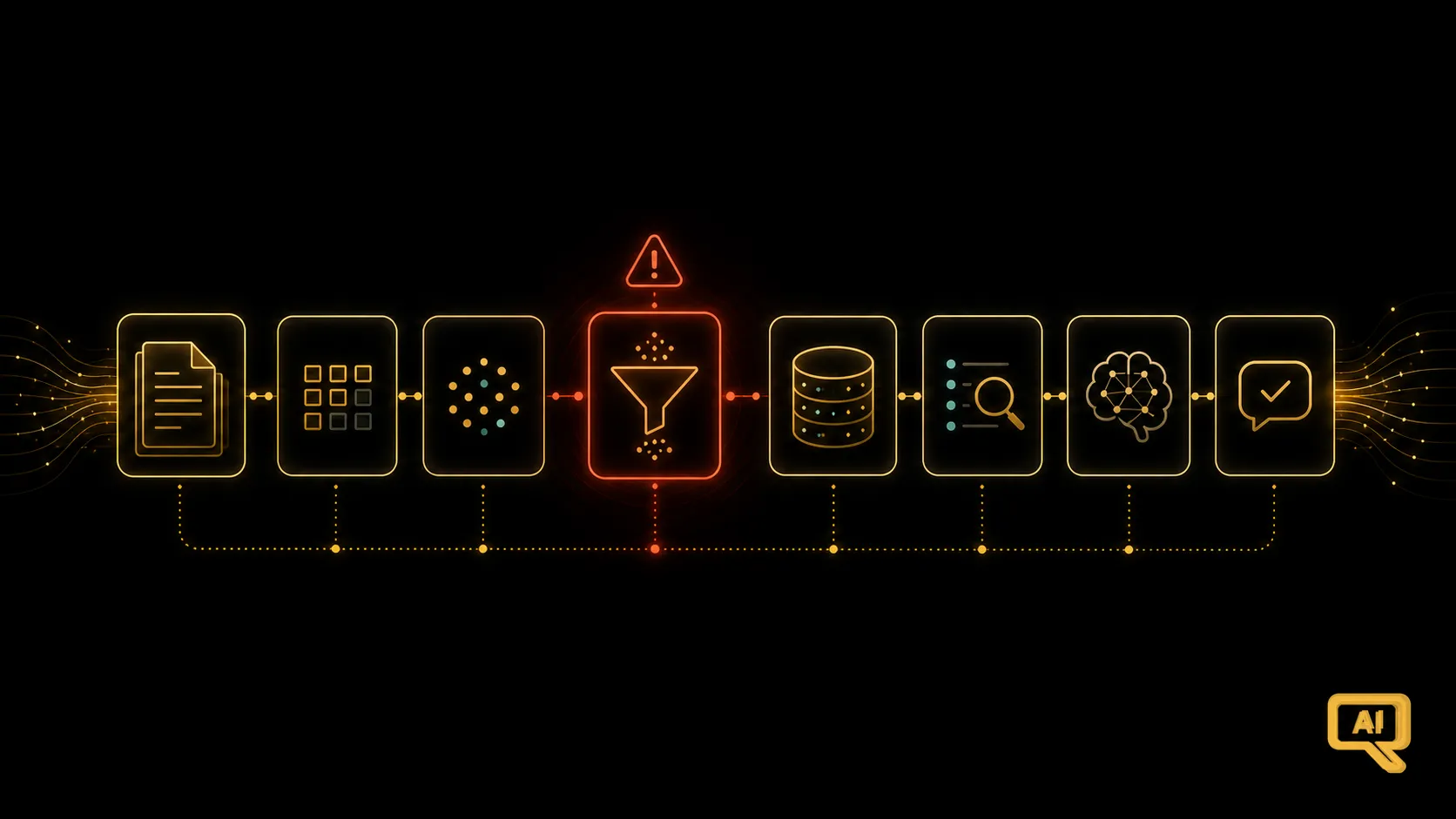
You built a RAG system. You ingested your documents, tuned your retrieval, wrote a clean prompt. It worked in the demo. And then, in real use, it started confidently making things up. A user asks about your refund policy, and the answer sounds plausible — but contains details that aren’t in any of your documents. Somewhere between the shelf of correct answers you carefully prepared and the response the model finally produced, the truth got lost.
I have good news and better news. The good news is that when RAG hallucinates, it’s almost always one of a small number of specific failures — the causes are surprisingly repeatable. The better news is that you can diagnose which failure is happening, and each has a known fix. This article is the debugging manual: how to tell, when your RAG lies to you, exactly which step was actually at fault.
The trick: RAG hallucinates for different reasons than a bare model
In the AI Primer, we saw why any language model can hallucinate: it’s optimised for plausible text, not true text. That base tendency doesn’t disappear with RAG, but a well-built RAG system layers a huge safety net on top of it — by giving the model real source material to answer from. When RAG hallucinates anyway, it’s a sign that the safety net has a hole. The valuable question is: where?
There are three places in a RAG pipeline where things can go wrong, and each produces a different flavour of hallucination. Figure 1 maps them.
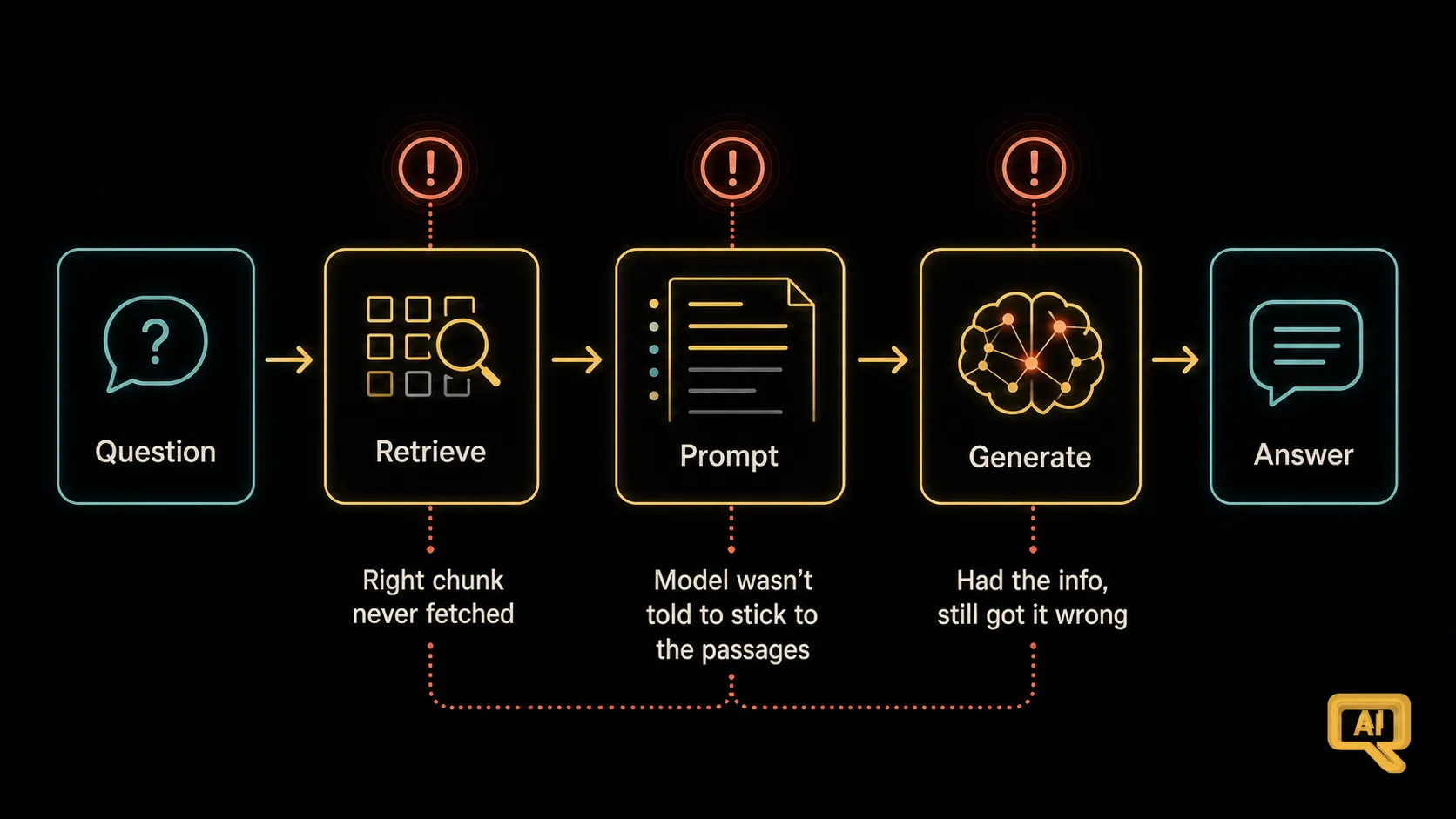 Figure 1: The three failure zones. Retrieval failure — the right chunk was never fetched. Prompt failure — the right chunk was there but the model wasn’t told to stick to it. Generation failure — the model had everything it needed but got the answer wrong anyway.
Diagnosis starts with a simple habit — the one we’ve mentioned a few times now, because it earns its keep here.
The debugging habit that solves 90% of it
Look at what was actually retrieved. Every time. Log the exact chunks that got fed to the model for a given question, and read them. This tiny discipline is the fastest way to identify which failure zone you’re in. Figure 2 shows the diagnostic tree.
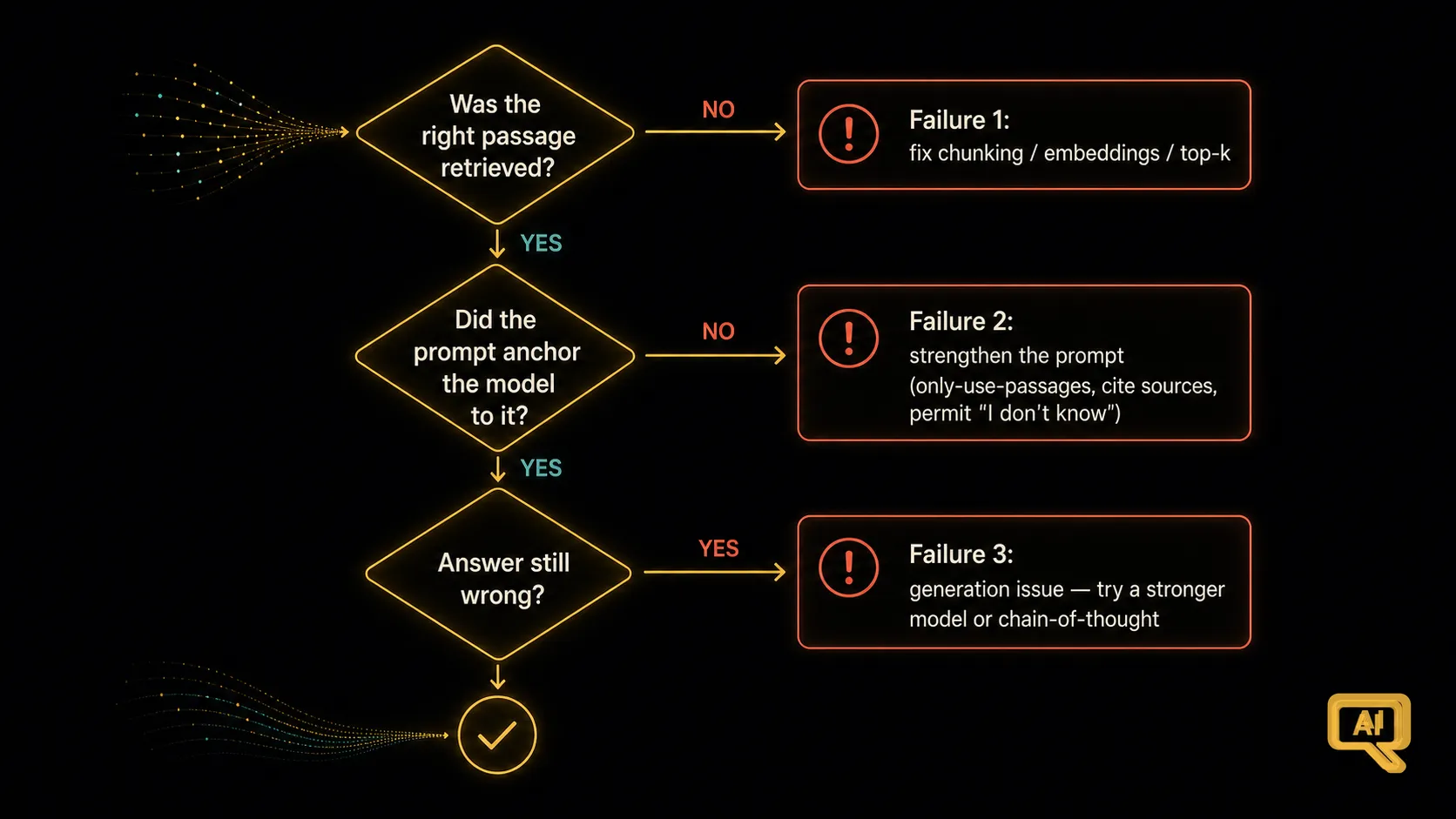 Figure 2: Ask three questions in order. Was the right passage even retrieved? If yes, did the prompt make the model rely on it? If yes, and the answer is still wrong, then it’s a generation issue.
Let’s take each failure in turn — how to recognise it, and how to fix it.
Failure 1: Retrieval didn’t find the right passage
How to recognise it. You look at the retrieved chunks and see: the passage that actually contains the answer isn’t there. The model was given irrelevant material and, unsurprisingly, produced an irrelevant or made-up answer. This is by far the most common cause of RAG hallucination, and it’s the one people most often misdiagnose as a “model problem.”
Why it happens. A few usual suspects:
- Chunking cut the answer across a boundary, so no single chunk holds the whole idea. (Fix: better chunking with overlap — see the chunking article.)
- The question and the answer use very different wording, and the embedding didn’t fully bridge the gap. (“Time off” vs “leave entitlement.”) (Fix: query rewriting, hybrid search, or a stronger embedding — coming up in this track.)
- Top-k was too low, and the right chunk was just outside the cut. (Fix: raise top-k, or add re-ranking to boost the truly-relevant chunk higher.)
- The document doesn’t actually contain the answer — the model was asked something not in the sources. This is a good time for the model to say “I don’t know” honestly, which is a prompt matter (Failure 2).
How to fix it. Focus your energy on chunking, embeddings, top-k, and — in later articles — techniques like re-ranking and hybrid search. If the right chunk was never in the retrieved set, no downstream fix will save you. Retrieval is where the highest-impact improvements live.
Failure 2: The right chunk was retrieved, but the prompt didn’t ground the model to it
How to recognise it. You look at the retrieved chunks and see: the answer is right there. And yet the model gave an answer that ignores it, invents details on top of it, or blends it with something from memory. The material was in the room; the model didn’t use it faithfully.
Why it happens. The prompt didn’t tell the model firmly enough to rely on the provided passages and nothing else. Left to its own instincts, a model will sometimes drift back to its own memory and mix things up, especially if the retrieved passages don’t fully answer the question.
How to fix it. This is prompt engineering, straight from the Reducing Hallucination article of the last track. A few small phrases make a huge difference:
- “Answer using ONLY the information in the passages below.”
- “If the answer isn’t in the passages, say ‘I couldn’t find that in the documents.’”
- “Cite the source of every claim.”
The last one is especially powerful. When a model has to point at where each fact came from, invented facts have nowhere to point to and get flagged. In practice, prompt fixes are often the highest ROI relative to their effort — a few extra sentences in your prompt template can dramatically cut hallucination once retrieval is working.
Failure 3: Retrieval and prompt were fine, and the model still got it wrong
How to recognise it. You look at the retrieved chunks and see the right passages. The prompt is well-grounded. And yet the answer is still off — maybe the model misread a table, botched a number, or reasoned incorrectly across the passages. This is genuine generation failure, and it’s the rarest of the three by a wide margin.
Why it happens. The model, even with correct context in front of it, made a mistake. Perhaps the passage was ambiguous, or the reasoning needed was tricky, or the information was in a hard-to-parse form.
How to fix it. This is where a more capable model can genuinely help — for tough questions, upgrading to a stronger model may lift accuracy directly. Chain-of-thought prompting (from the Prompt Engineering track) helps too, encouraging the model to reason step by step through the passages rather than blurting out an answer. But be honest: if you keep landing in Failure 3 more than occasionally, double-check you’re not actually in Failure 1 or 2 in disguise.
Why people misdiagnose so often
Here’s the pattern I most want you to take away. When a RAG answer is bad, the temptation is to change the model, rewrite the prompt entirely, or swap the vector database. All three are usually wrong first moves. The right first move is boringly simple: look at what was retrieved.
That single act of inspection tells you which failure zone you’re in, and it points you straight at the useful fix. Skip it and you’ll spend days changing components that were fine, while the real problem sits in a chunk that wasn’t there or a prompt that didn’t anchor the model. Nine times out of ten, the fix is on the retrieval side, and inspection is how you know.
Building the habit
Log your retrievals. Really, make it easy to see, for any question, exactly which chunks got fed into the model. Some vector databases and RAG frameworks expose this out of the box; if yours doesn’t, build a tiny page or log entry that shows it. It’ll pay for itself in the first hour you use it.
We’ve now covered how retrieval works, how to tune it, and how to debug it when it doesn’t. Next, we start actively improving it — with a technique that’s often the single biggest quality boost you’ll get in RAG, well worth learning as your first upgrade past the basics: re-ranking.
Next in the series: Re-Ranking — The Biggest Quality Lever — retrieve broadly, then re-rank precisely.