
Here we are, the last article of the track. And I want to end on the concern that quietly dominates the operational reality of most serious LLM systems: cost. Not because it’s the most glamorous topic, but because it’s the one that often catches teams by surprise. A system that works well in a demo can become uncomfortably expensive at scale. And unlike traditional software, where cost tends to scale predictably with traffic, LLM cost scales with a subtler thing: how much text you’re pushing through the model, on every single request.
The good news is that once you understand the levers, you have real, practical control. This article is a tour of the ones that matter most, in the order I’d honestly reach for them. Get these right and the difference between a barely-sustainable system and a comfortably-profitable one is often just a few well-chosen habits.
The two things that determine cost
Every LLM cost decision reduces to two levers. How many tokens are we processing? and at what price per token? Everything else, caching, routing, prompt compression, model selection, is really a way of pushing on one of those two.
That framing matters because it tells you where the wins actually are. Tokens: your prompts, your retrieved context, your responses, everything you’re pushing into and pulling out of the model. Price: which model you’re using, and any optimisations that let a smaller cheaper one handle the load. Every technique in this article is a way to reduce tokens, reduce price per token, or both. Figure 1 lays out the toolkit.
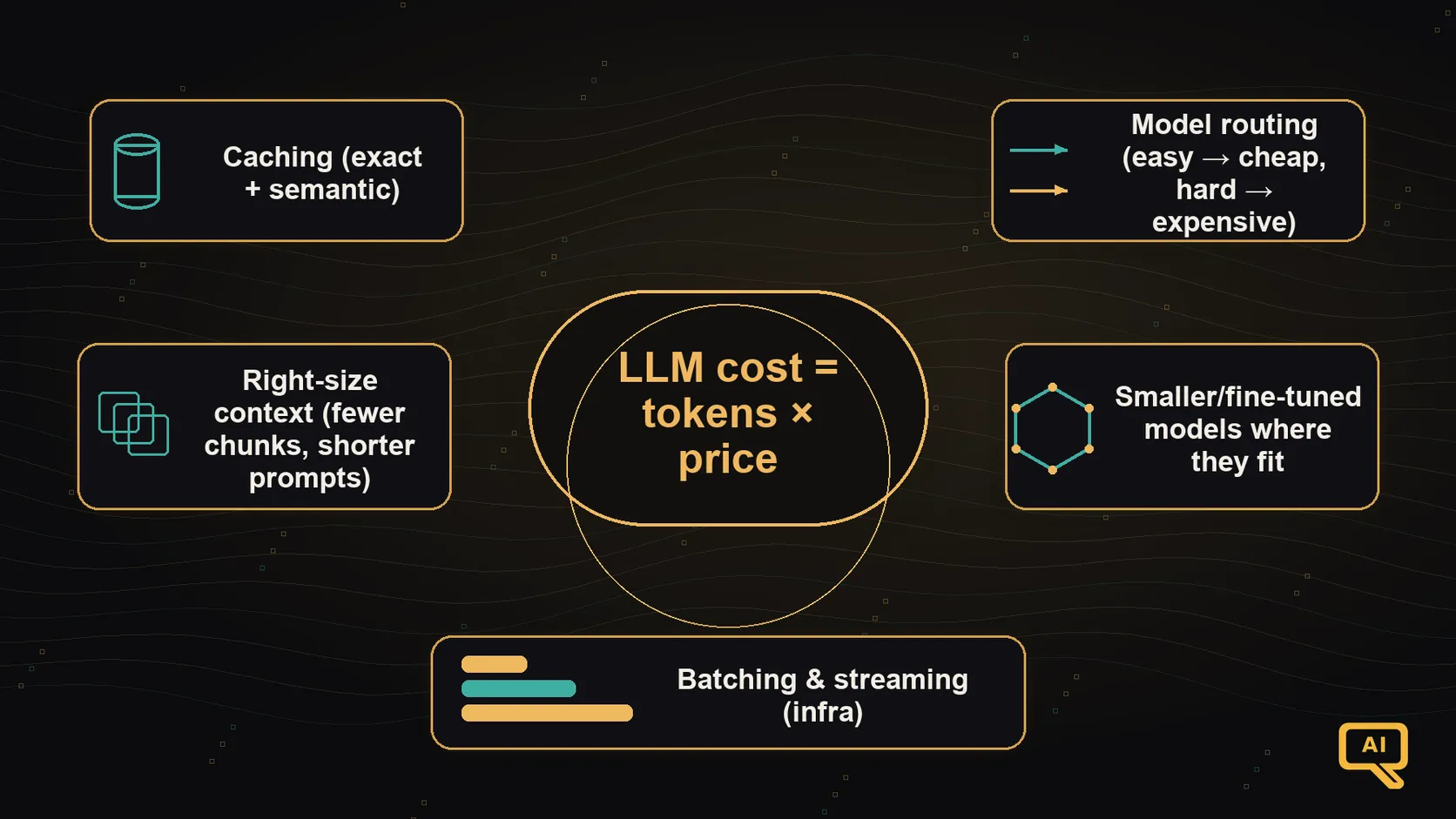 Figure 1: The main cost levers. Caching lets you skip work you’ve already done. Model routing sends easy queries to cheap models and hard ones to expensive models. Prompt compression trims wasted tokens. Right-sizing the retrieved context sends only what’s needed. Batching and streaming keep infrastructure efficient. Each lever is small on its own; together they change the economics.
Let me walk through the ones that pay off most, in rough order.
Lever 1: Caching (the big free win)
Caching means: if we’ve already answered this or a very similar question recently, don’t run the whole pipeline again. Just return what we had. It’s the single highest-leverage cost optimisation for most systems, because a surprising fraction of production traffic is near-repeats of things the system has seen before.
Two flavours of caching are worth knowing about.
Exact-match caching. The simplest version. Store a hash of the input (question, retrieved context, prompt template version) and the corresponding response. On a repeat, return the cached response. This alone often catches a meaningful slice of traffic in support bots, documentation assistants, and anywhere users tend to ask similar things.
Semantic caching. A more flexible version, and a useful application of the embeddings you already met in the RAG track. Instead of matching exact strings, you embed the incoming question and check if there’s an already-cached question whose embedding is very close. If yes, return the earlier response. This catches paraphrases of things you’ve already answered, which is a much bigger slice than exact matches. A modest similarity threshold (say, cosine similarity above 0.95) is usually a safe starting point.
Two practical warnings. First, be careful what you cache and for how long. Anything user-specific or time-sensitive needs a shorter or narrower cache. Second, cache the right layer. Caching the final response is great for repeat questions; caching the retrieved chunks is great when the same question needs the same context across many users. Both can coexist.
Lever 2: Model routing (send the easy stuff to cheap models)
Model routing means: not every query needs your best model. A short lookup, a simple format, a routine classification: a cheap, fast, small model can often do it just as well. Reserve the expensive model for the queries that need it. Most projects overuse their top-tier model by a lot.
The two common patterns:
- Route by task type. Sort queries into buckets (classification, simple Q&A, complex reasoning, long-form generation), and pick the cheapest capable model for each bucket. If half your traffic is trivial classifications and your classifier costs a hundredth of what your main model does, that’s a huge win.
- Route by difficulty, with escalation. Try the cheap model first. If its output doesn’t meet a quick quality check (or the model itself signals uncertainty), retry with the more expensive one. You pay the cheap price for easy queries and only the full price when needed. This “cascade” pattern is one of the highest-ROI habits in mature systems.
The engineering isn’t complicated: a small router in front of your model layer that picks based on the query’s shape or an initial classification. Doing this well often reduces per-query cost by 40–60% in real systems, with no user-visible quality loss.
Lever 3: Right-size the context
Every token you send the model, you pay for. Which means the length of your prompt is a direct cost lever. A few practical trims that keep adding up:
- Send fewer retrieved chunks. If you’re using RAG, five well-ranked chunks usually beat fifteen mediocre ones, at a third of the cost. This is where re-ranking (from the RAG track) pays for itself twice: better quality and fewer tokens.
- Compress or summarise long context. If a chunk is 800 tokens long but only 200 tokens of it are actually relevant, extract the relevant part before sending. Some systems have a small pre-processing step that summarises retrieved context before it goes to the main model. Worth it when your context tends to be long.
- Trim boilerplate from your prompt template. Long system prompts full of verbose “please be helpful and detailed and remember to…” tend to accumulate over time. A pruning pass usually cuts a meaningful percentage without losing quality. Prompt engineering isn’t just for quality; it’s for cost too.
- Watch response length. Verbose responses cost as much as verbose prompts. A small “keep it concise” instruction, when appropriate, has measurable cost impact. Bonus: users often prefer shorter responses.
None of these individually is dramatic. Together, they’re often 20–40% of your token bill.
Lever 4: Use a smaller (or fine-tuned) model where it fits
This one loops back to the fine-tuning half of the track. For a specific, narrow task, a small fine-tuned model can sometimes match or beat a much larger general model, at a fraction of the cost per query. If you have a high-volume task where the general model is doing the same shape of thing over and over, this is one of the highest-payoff moves available.
A related habit: as new models come out, the cost/quality frontier keeps shifting. What was the sensible default six months ago may no longer be. Occasionally revisit whether a newer, smaller, or cheaper model would work for your case. Model choice isn’t a once-and-forever decision.
Lever 5: Batching and streaming (the infrastructure ones)
Two more, from the infrastructure side, worth naming even briefly:
- Batching, on your own serving stack, groups multiple requests together so the GPU stays busy. This can multiply throughput several times over on the same hardware. If you’re self-hosting, use a serving stack that does this well (article 9 mentioned vLLM, TGI, TensorRT-LLM). If you’re using a hosted API, batching mostly isn’t your problem, though some providers offer explicit batch endpoints at a lower price for non-urgent workloads.
- Streaming doesn’t directly save token cost, but it affects perceived latency, which affects whether users abandon and retry (which does cost you). Streaming your responses makes long generations feel snappier, which reduces the pressure to trim responses beyond what quality demands.
The habit that ties it all together
Above all the specific levers, there’s one habit that determines whether any of them actually work in practice. Figure 2 shows it, and I want to end the track on it.
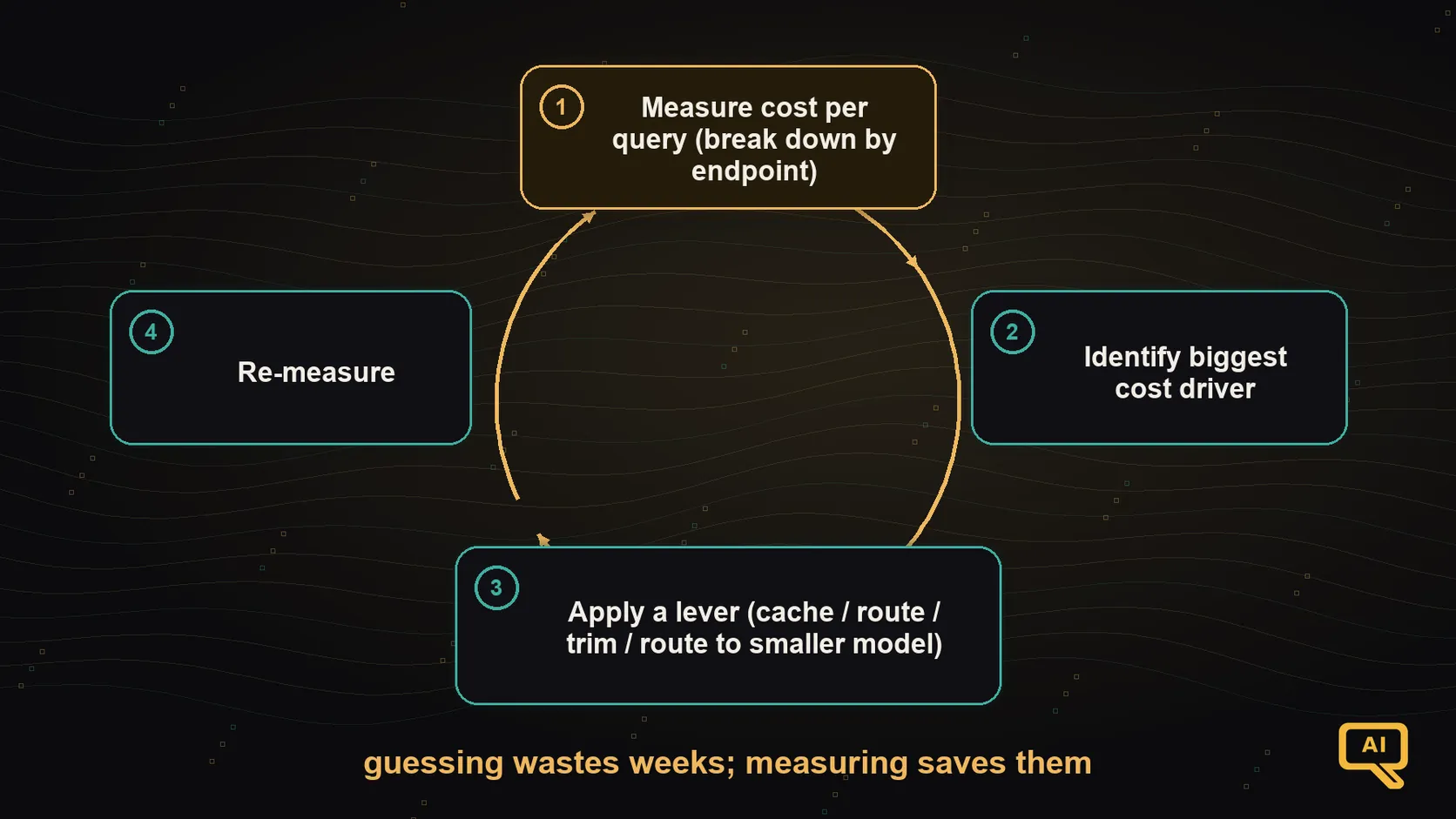 Figure 2: The cost-optimisation loop that actually works. Measure cost per query and where it goes. Identify the biggest cost driver. Apply a lever. Re-measure. Repeat. Guessing wastes weeks; measuring saves them.
Measure cost per query and know where it goes. If you don’t know whether your dominant cost is prompt tokens, retrieved context, response tokens, or one specific expensive endpoint, you’re guessing about what to fix. Break your cost down by endpoint, feature, and (roughly) by prompt-vs-response, and revisit it monthly. This one habit is worth more than any specific technique in this article, because it points you at the lever that will actually move the needle.
Optimise the biggest cost driver first. It’s tempting to work on the fun optimisation, the one you’ve been reading about. It’s more useful to work on whichever line item is the biggest chunk of your bill. Sometimes the answer is caching. Sometimes it’s model routing. Sometimes it’s just deleting a bloated system prompt. Whichever is biggest, that’s your first target.
Closing the track
We’ve come a long way. At the start of this track, “fine-tuning” may have felt like a slightly intimidating concept and “LLMOps” may have sounded like a word people used without agreement about what it meant. Now you’ve built up the whole picture: when to fine-tune (and when not to), how it actually works, how to prepare the data that makes it succeed, the efficient techniques that make it practical, how to run it hands-on, the alignment layers underneath every serious model, how to evaluate what you produced, and then the full operational half, serving, monitoring, evaluation pipelines, guardrails, and cost.
That’s a real, working craft. Not a bag of tricks. If you followed the whole track, you have what you need to build, ship, and run language-model systems that hold up in the real world, not just in demos. And when the field’s specifics change over the next year (and they will), the framings we’ve built up will keep making sense of what’s new, because the shape of the problems doesn’t change nearly as much as the tools do.
If you want to keep going, two natural next stops. The Agentic AI track picks up where the retrieval-as-a-tool pattern in RAG dropped you, into systems that decide, act, and use tools in the wider sense. And there are the Strategy tracks (Data & AI Strategy, Governance & Risk, Operating Model, Business Case & ROI) if you’re moving into the “how do I plan this at an organisational level” territory that a lot of the ideas in this track eventually touch.
Thank you for coming all the way through. Now go build something that lasts.
This completes the LLM Fine-Tuning & LLMOps track. Ready to go beyond retrieval into systems that take action? Continue with the Agentic AI track. Thinking at the organisation level? Try one of the Strategy tracks.