There’s a limit that shapes a lot of how AI assistants behave: why a long conversation starts to “forget” how it began, why some tasks cost more than others, and why retrieval is useful. That limit is the context window, and once you understand it, a lot of otherwise-puzzling behaviour makes sense.
This article is about the model’s working memory: how much it can actually “see” at once, measured in the tokens we met back in Article 5, and what that means in practice.
The model’s field of view
When a language model generates a response, it can only consider a limited amount of text at a time. That amount is the context window. Think of it as the model’s field of view, or its short-term working memory. Everything the model is currently paying attention to has to fit inside it.
And here’s the crucial part that people often miss: everything competes for that space. It’s not just your latest message. The window has to hold all of it at once:
- any behind-the-scenes instructions the app gives the model (its “system prompt”),
- the earlier back-and-forth of your conversation,
- your current message,
- and room left over for the model’s reply.
Figure 1 shows the window as a fixed frame that all of this has to fit inside.
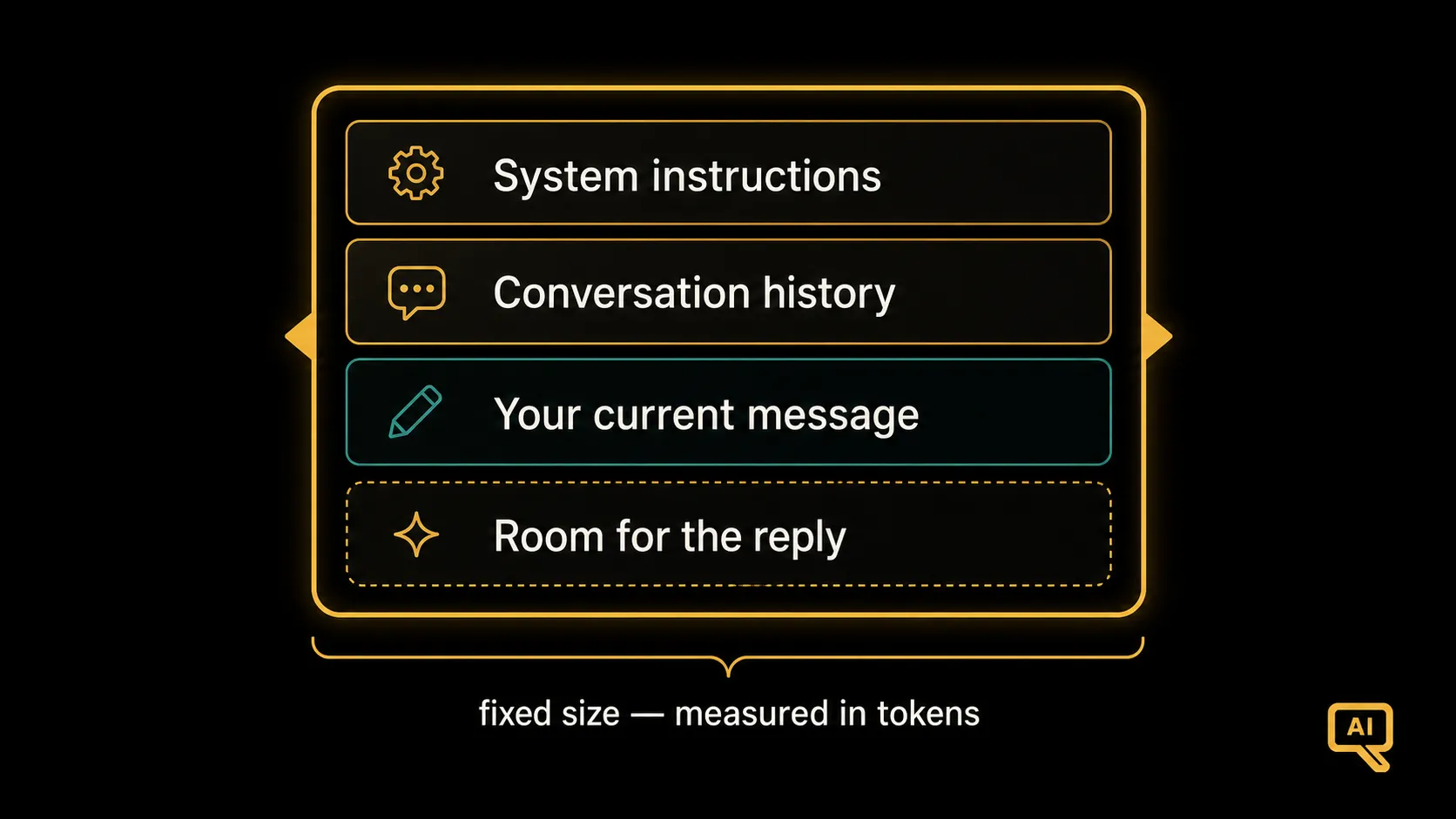 Figure 1: The context window is a fixed-size frame. The system instructions, the conversation history, your current message, and the space for the reply must all fit inside it together.
The window is measured in tokens, those word-pieces from Article 5. A handy rule of thumb for English is that one token is roughly ¾ of a word, so a window of, say, 128,000 tokens holds somewhere around 96,000 words. You can estimate it crudely like this:
def estimate_tokens(text):
    words = len(text.split())
    return round(words / 0.75)      # ~1 token per 3/4 of a word

sentence = "Context windows are measured in tokens, not words."
print(estimate_tokens(sentence))    # roughly 11 tokens for these 8 words
Real tokenizers count more precisely (punctuation and word-pieces add up), but this gets you in the right ballpark for planning.
What happens when you run out of room
So what happens when a conversation grows longer than the window can hold? Something has to give, and usually it’s the oldest content that falls out of view. The beginning of the conversation slides out of the frame to make room for the newest messages. Figure 2 shows what fills the window and what gets pushed out.
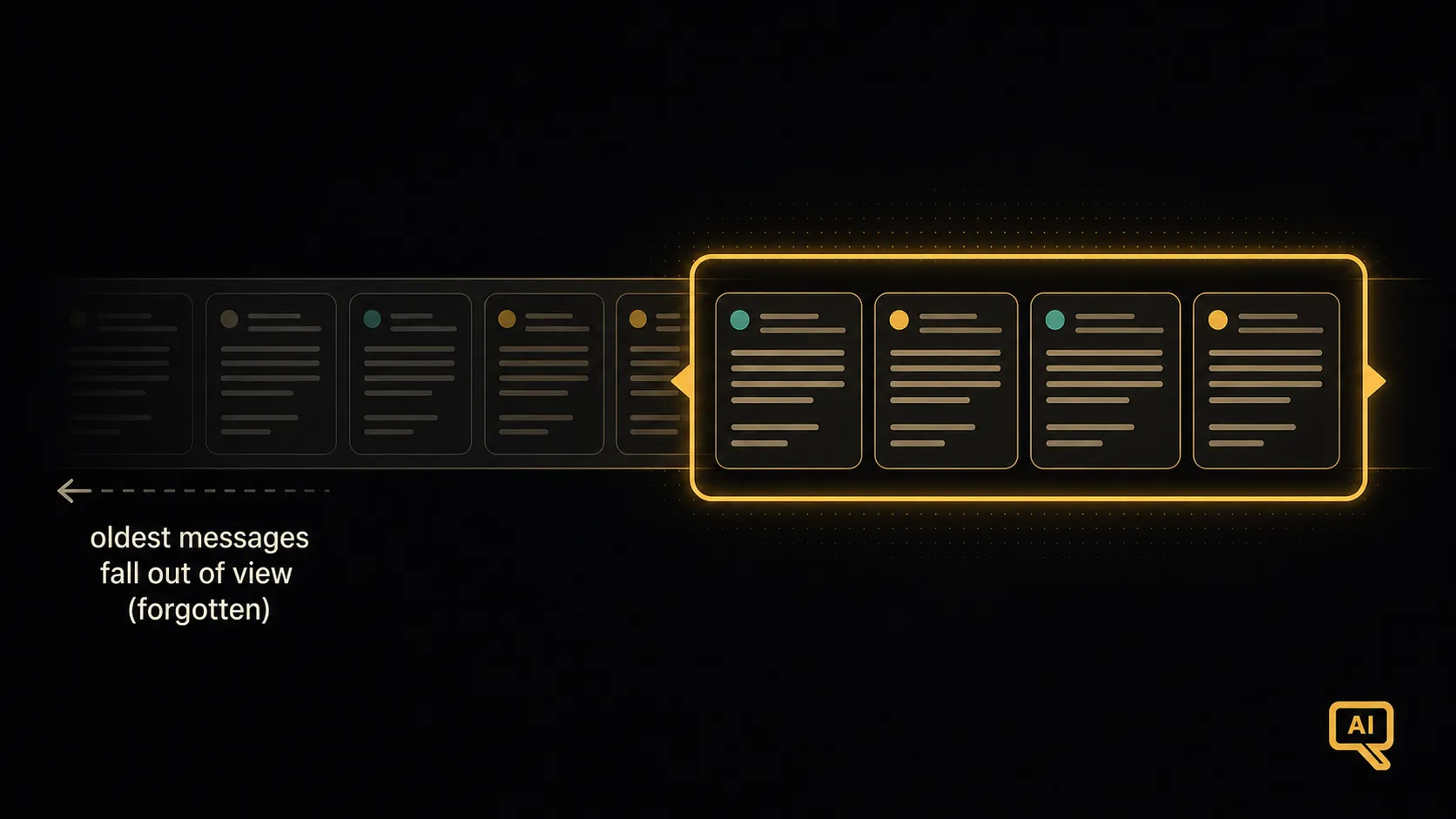 Figure 2: As a conversation grows, the newest messages stay in view while the earliest ones slide out of the window. Once something leaves the frame, the model can no longer see it, so it effectively “forgets” it.
This directly explains a behaviour you’ve probably experienced: in a very long chat, the model seems to forget something you told it near the start. It’s not being careless. That information has slid out of its field of view. The model can only work with what’s currently inside the window. Once text leaves the frame, it’s gone as far as the model is concerned.
Why this matters in practice
The context window quietly drives several things worth knowing about.
Long conversations drift. Because early messages eventually fall out of view, the model can lose track of things established long ago. If something matters, it helps to restate it, or the app has to do clever work to keep the important bits in frame.
It usually costs money by the token. Most AI services charge based on how many tokens go in and come out. A bigger context, such as a long document or a long history, means more tokens, which means more cost and often a slower response. Being mindful of what goes into the window is being mindful of your bill.
It’s one reason retrieval matters. Suppose you want a model to answer questions about a 500-page manual. You can’t just paste the whole thing into the window. It won’t fit, and even if it did, it’d be wasteful. So instead, a technique called retrieval (the “R” in RAG) fetches only the few most relevant passages for your specific question and slips those into the window. The context window’s limit is the constraint that makes retrieval so useful, a thread we pick up properly in the RAG track.
Bigger windows help, but aren’t a cure-all. Newer models have much larger windows than early ones, which is useful because you can feed them whole documents. But two caveats. More tokens still means more cost. And even with a big window, models can lose focus when there’s a lot of text, sometimes paying less attention to things buried in the middle of a very long input. A bigger desk helps, but you can still lose a page in a big enough pile.
Tokens, revisited
This is also a good moment to see why tokens keep coming up. They’re the model’s basic unit: what it reads, what it writes, what it can hold in view, and what you pay for. When you hear specs like “a 200k-token context window” or pricing “per million tokens,” you now know what’s being counted and why it matters. The abstract idea from Article 5 turns out to govern very concrete, everyday things.
The limit that shapes the experience
The context window is the model’s working memory: finite, shared among everything it’s considering, and measured in tokens. It’s why long chats forget their beginnings, why usage costs what it does, and why retrieval helps. None of that is a flaw exactly; it’s just a constraint, and understanding it makes these tools easier to work with.
We’ve now covered how a model is built, trained, aligned, and how it generates within its window. There’s one more essential thing every user of these tools needs to understand: these models can be confidently, fluently wrong. Why that happens, and what to do about it, is next.
Next in the series: Why LLMs Hallucinate: an important caveat for anyone who relies on these tools.